I Tried 8 Habit Tracker Apps Before Finding the Best Habit Tracker App in 2026
Let me be honest: I spent the better part of 14 months jumping between habit tracking apps. I would download one, get excited for a week, hit some friction, and move on to the next shiny option. Habitica, Streaks, HabitBull, Notion templates, spreadsheets, even a paper calendar taped to my fridge. I had eight apps on my phone at one point, each tracking a different slice of my life, and somehow I was less organized than when I started.
The core problem wasn't the apps themselves. Most of them were good at one thing. The problem was fragmentation. My habits were in one app, my workouts in another, my budget in a third, and my study sessions in a fourth. Nothing talked to each other. I couldn't see the connection between sleeping 7 hours, hitting the gym, and spending less on takeout. And that connection is where real behavior change lives.
So I did what any obsessive tracker would do: I ran a proper comparison. I used each app for at least two full weeks, tracked the same five habits across all of them, and measured what actually helped me stick with my goals. Here's everything I found.
What Makes a Good Habit Tracker (The 4 Non-Negotiables)
Before we get into specific apps, let's talk criteria. After testing dozens of approaches, I've narrowed it down to four things that separate a useful habit tracker from digital clutter:
- Simplicity: If logging a habit takes more than 5 seconds, you won't do it consistently. The app needs to get out of your way. Open, tap, done. Anything that requires navigating menus, filling forms, or waiting for animations to load is dead on arrival.
- Streak visibility: Humans are wired to protect streaks. Seeing a chain of 14 consecutive green checkmarks triggers loss aversion. You don't want to break it. An app that buries your streak data or only shows it in a settings menu is wasting its best motivational tool.
- Cross-domain tracking: Your habits don't exist in isolation. Sleep affects your workouts. Your workouts affect your mood. Your mood affects your spending. The best tracker lets you see these connections across fitness, finance, study, and daily habits in one place.
- Privacy: Your habit data is deeply personal. It reveals your routines, your weaknesses, your patterns. I want my data stored securely, not mined for ads or shared with third-party analytics platforms.
With those criteria in mind, let's break down the five most popular options in 2026.
The 5 Best Habit Tracker Apps Compared
1. Habitica: The Gamification Approach
Habitica turns your habits into an RPG. You create a character, earn experience points for completing tasks, and lose health when you miss them. You can join parties with friends, fight bosses, and unlock gear. It's genuinely fun, and the social accountability element works well if your friend group is on board.
The character progression system is clever. Gaining levels and unlocking new equipment creates a reward loop that feels satisfying in the first few weeks. The community features, including guilds and party quests, add a layer of motivation that most solo trackers can't match.
The downsides: The gamification becomes the goal instead of the habits. I found myself optimizing for XP rather than for actual behavior change. After about three weeks, the novelty wore off, and I was left with an interface cluttered with pixel art, inventory screens, and social features that distracted from the core purpose. It also doesn't track fitness metrics, finances, or study sessions. It's purely a task and habit checklist with a game skin on top.
2. Streaks: Clean, iOS-Only Simplicity
Streaks is the Apple Design Award winner, and it shows. The interface is gorgeous: colorful rings that fill as you complete habits, a maximum of 12 habits tracked at once (a deliberate constraint), and deep integration with Apple Health. If you're on iOS and want something minimal and beautiful, Streaks is hard to beat visually.
The forced 12-habit limit is actually a feature, not a bug. It prevents you from over-committing, which is one of the biggest reasons people abandon habit trackers. The Health app integration means workouts and steps can auto-complete without manual logging.
The downsides: iOS only, so Android users are out entirely. No web app. No cross-platform sync. And crucially, it only tracks habits. There's no fitness logging beyond what Apple Health provides, no expense tracking, no study sessions. If you want to see how your habits connect to other areas of your life, you'll need additional apps. The 12-habit cap can also feel restrictive once you get serious about tracking.
3. HabitBull: Data-Rich but Complex
HabitBull is for the data nerds. It offers detailed charts, flexible scheduling (daily, weekly, specific days), numerical tracking (like "drink 8 glasses of water"), and CSV export. The analytics are genuinely impressive. You can see completion rates over time, compare habits against each other, and identify your most productive days of the week.
The flexibility is its biggest strength. You can set habits that repeat on specific days, habits with numerical targets, yes/no habits, and timed habits. It covers just about every tracking scenario you can imagine.
The downsides: The interface feels dated and cluttered. There are so many options and settings that new users often spend more time configuring the app than actually tracking. The learning curve is steep enough that several people I recommended it to gave up before finishing setup. And like most dedicated habit trackers, it stays in its lane. No fitness, finance, or study integration.
4. Notion: Infinitely Flexible, Infinitely Complex
Notion is a workspace tool, not a habit tracker. But with the right template, it can track habits. You build databases, create views, set up formulas, and design your own dashboards. The result can be beautiful and deeply customized to your exact workflow. If you enjoy building systems, Notion is a playground.
The community templates are a real asset. You can find pre-built habit trackers, fitness logs, and study planners created by other users. The flexibility means you can theoretically build an all-in-one system that tracks everything.
The downsides: "Theoretically" is doing heavy lifting in that sentence. Building a good Notion habit tracker takes hours. Maintaining it takes ongoing effort. Every template I tried either broke after a few weeks, became too complex to use on mobile, or required formula knowledge I didn't have. The mobile app is functional but slower than dedicated trackers. And you're essentially building your own tool from scratch, which means any friction in the design is your fault to fix. For most people, that setup cost is a dealbreaker.
5. PixMixy: The All-in-One Tracker (Habits + Fitness + Finance + Study)
Full disclosure: this is our app, so take what follows with that context. But I'll explain exactly why PixMixy exists and what it does differently, and you can judge for yourself.
PixMixy was built on one premise: your life isn't divided into separate apps, so your tracker shouldn't be either. It combines habit tracking with a weekly grid and streak visibility, fitness logging with nutrition and workout data, daily finance tracking with income and expense analytics, and study session tracking with time logs. All in one dashboard.
The habit tracker uses a clean weekly grid. You see your seven days, your habits listed vertically, and green checkmarks filling the cells as you complete them. Streaks are visible at a glance. Logging takes a single tap. There's no gamification layer, no RPG elements, no pixel art. Just your data, presented clearly.
What sets it apart: When you can see that the weeks where you exercise 4+ times are also the weeks where you spend 30% less on impulse purchases and study 2 more hours, you start understanding your own patterns at a level no single-purpose app can provide. I noticed that my 7-hour sleep nights correlated with hitting 80%+ of my daily habits, while 5-hour nights dropped me to 40%. That insight came from having everything in one place.
The honest limitations: PixMixy doesn't gamify your habits like Habitica. It doesn't have Apple Health integration like Streaks. It doesn't offer the raw customization of Notion. It's opinionated about structure, which means less flexibility but also less setup. If you want a fully customizable blank canvas, Notion might be your pick. If you want a focused, ready-to-use system that connects the dots across your entire life, PixMixy is built for that.
Quick Comparison Table
| Feature | Habitica | Streaks | HabitBull | Notion | PixMixy |
|---|---|---|---|---|---|
| Habit Tracking | Yes | Yes | Yes | Yes (DIY) | Yes |
| Fitness Logging | No | Partial | No | Yes (DIY) | Yes |
| Finance Tracking | No | No | No | Yes (DIY) | Yes |
| Study Sessions | No | No | No | Yes (DIY) | Yes |
| Streak Visibility | Moderate | Excellent | Good | Depends | Excellent |
| Setup Time | 10 min | 5 min | 20 min | 2+ hours | 5 min |
| Cross-Platform | Yes | iOS only | Yes | Yes | Yes |
| Free Tier | Yes | $4.99 | Freemium | Freemium | Yes |
Why All-in-One Beats Single-Purpose (You Don't Need 4 Apps)
Here's the argument I wish someone had made to me before I spent 14 months app-hopping: every additional app you add to your routine creates friction, and friction kills habits.
When I was using Streaks for habits, MyFitnessPal for nutrition, YNAB for budgeting, and Toggl for study tracking, my daily "tracking routine" looked like this: open four apps, log data in four different interfaces, check four different dashboards, deal with four sets of notifications. Total time: 12-15 minutes per day. That doesn't sound like much, but it's enough to make you skip it on busy days. And skipping one day becomes two, which becomes a week, which becomes "I'll restart next month."
With everything in one app, my tracking dropped to under 3 minutes per day. One login. One interface. One place to review. The activation energy went from "I need to do my tracking" to "let me tap a few boxes." That reduction in friction was the single biggest factor in my consistency going from 60% to 94% over three months.
There's also an insight advantage. When your data lives in four separate apps, you can't see correlations. You can't notice that your spending goes up on weeks when your workout count drops. You can't see that your study focus improves on days when you hit your morning routine. These cross-domain patterns are invisible when your data is siloed, and they're obvious when everything lives together.

I tested every major habit tracker - here's what I found
How to Choose the Right Tracker for You
Let me make this practical. Here's my honest recommendation based on your situation:
- Choose Habitica if: You're brand new to habit tracking, you love games, and you have friends who'll join you. The fun factor can get you through the critical first two weeks. Just be honest with yourself about whether the game is serving the habits or replacing them.
- Choose Streaks if: You're on iOS, you only want to track daily habits (no fitness, finance, or study), and you value beautiful design above everything. The 12-habit cap keeps you focused.
- Choose HabitBull if: You're a data analyst at heart, you want CSV exports and detailed charts, and you don't mind spending time configuring settings. The flexibility is real, but so is the complexity.
- Choose Notion if: You already live in Notion for work, you enjoy building systems, and you have the patience for initial setup. Just know that maintaining a Notion habit tracker is an ongoing project, not a set-it-and-forget-it solution.
- Choose PixMixy if: You want habits, fitness, finance, and study tracking in one place. You value simplicity over customization. You want to see how different areas of your life connect. And you'd rather spend 3 minutes tracking than 15 minutes switching between apps.
Resources That Changed How I Think About Habits
Alongside the right app, the right reading material accelerates everything. These two resources have been fundamental to how I approach tracking and behavior change:
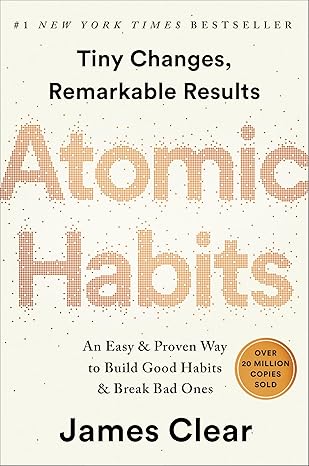
Atomic Habits by James Clear
This is the book that made habit tracking click for me. Clear's framework of making habits obvious, attractive, easy,
$16.99
Check Price on Amazon →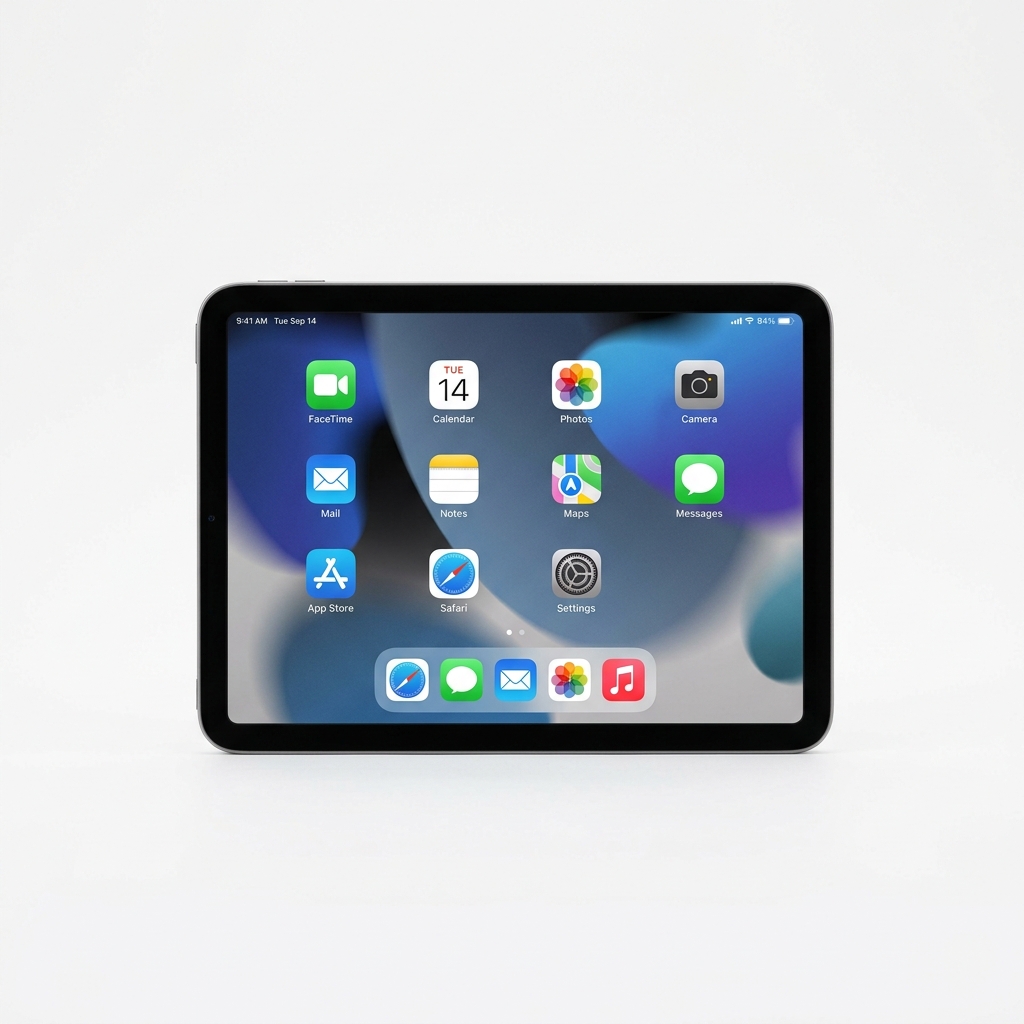
Apple iPad Mini (Latest Generation)
I started using an iPad Mini as my dedicated tracking and review station. Every Sunday evening, I open PixMixy on the larger screen,
$499.00
Check Price on Amazon →What Real Users Are Saying
"I bounced between Habitica and Notion for a year. The setup was always the problem. PixMixy took me 5 minutes, and I've tracked every day for 67 days straight. The weekly grid makes my streaks feel sacred."
"I used Streaks for 8 months but hit a wall because I couldn't connect my habits to my fitness or spending. Switching to PixMixy showed me that my gym consistency directly predicted my impulse spending. That one insight saved me $200 a month."
"As a medical student, I needed habits, study tracking, and finance in one place. I was using three separate apps and hating it. PixMixy consolidated everything and I actually look forward to my nightly check-in now."
The Bottom Line: Start Tracking Today
The best habit tracker app in 2026 is the one you'll actually use past week two. Every app on this list has real strengths. Habitica makes it fun. Streaks makes it beautiful. HabitBull makes it analytical. Notion makes it customizable. PixMixy makes it connected.
If I could go back and give my past self one piece of advice, it would be this: stop searching for the perfect app and start tracking. The act of tracking matters more than the tool. But if you want to avoid the fragmentation trap I fell into, an all-in-one approach saves you from needing four apps to do what one can handle.
Not sure where to begin? Read our guide on how long it actually takes to build a habit (spoiler: it's not 21 days). Then grab the 30-Day Habit Challenge blueprint and put your chosen tracker to the test. Thirty days from now, you'll have the data to prove whether it works for you.
Your habits are waiting. Pick a tracker. Start today.
