A To-Do List Tells You What. A Calendar Tells You When.
Here is the problem with to-do lists: they are honest about your ambitions and silent about your time. A list of 14 tasks looks achievable until you realize the day only holds six hours of real work and three of those tasks each take two. Time blocking fixes this by forcing every task to claim a slot on your calendar. If it does not fit, it does not happen, and you find that out at 8am instead of 6pm.
Time blocking is the practice of dividing your day into named blocks, each dedicated to a specific task or category of work. Cal Newport calls it the single most effective productivity habit he has. The reason is simple: a task assigned to a time is a plan; a task on a list is a wish.
How to Time Block Your Day in 5 Steps
You do not need special software. A paper planner, a calendar app, or the PixMixy calendar all work. The method matters more than the tool.
- Brain-dump every task first. Before you touch the calendar, list everything competing for your day. You cannot allocate time to tasks you have not named.
- Estimate honestly, then add 30%. Everything takes longer than you think. This is called the planning fallacy, and it is why your days overflow. If a task feels like an hour, block 80 minutes.
- Block your deep work first, on your peak hours. Protect your best two to three hours for your hardest, highest-value task before anything else can claim them.
- Batch the shallow work. Email, messages, and admin get one or two dedicated blocks, not a constant trickle. Checking email 40 times a day is 40 interruptions.
- Leave 25% of the day unblocked. This is the mistake beginners always skip. Overflow, interruptions, and real life need slack. A calendar with no white space breaks on contact with reality.
The goal of time blocking is not to schedule every minute. It is to make sure the important things get a minute at all.
3 Time Blocking Templates You Can Copy
Templates remove the daily decision of how to structure your day. Pick the one closest to your life and adjust.
Template 1: The Maker (deep-work day)
- 8:00 to 10:30 - Deep work block 1 (your single most important task, phone in another room)
- 10:30 to 11:00 - Break and movement
- 11:00 to 12:30 - Deep work block 2
- 12:30 to 1:30 - Lunch, walk, fully offline
- 1:30 to 3:00 - Meetings and collaboration
- 3:00 to 4:00 - Shallow work batch (email, admin, messages)
- 4:00 to 4:30 - Daily review and plan tomorrow
Template 2: The Student
- Morning - One focused study block on your hardest subject while your mind is fresh
- Midday - Lectures, classes, or passive learning
- Afternoon - Active recall and practice problems (the study that actually works)
- Evening - Short review block and log the session in your study tracker
If you are a student, pair this with our guide to the study techniques that actually help you retain more. Time blocking decides when; those techniques decide how.
Template 3: The Busy Professional (meeting-heavy day)
- First 90 minutes - Protected deep work before the meeting wall starts
- Mid-morning to afternoon - Meetings, batched back-to-back on purpose
- One 45-minute block - Guarded for the one task that must ship today
- End of day - 15-minute shutdown ritual: capture loose ends, plan tomorrow
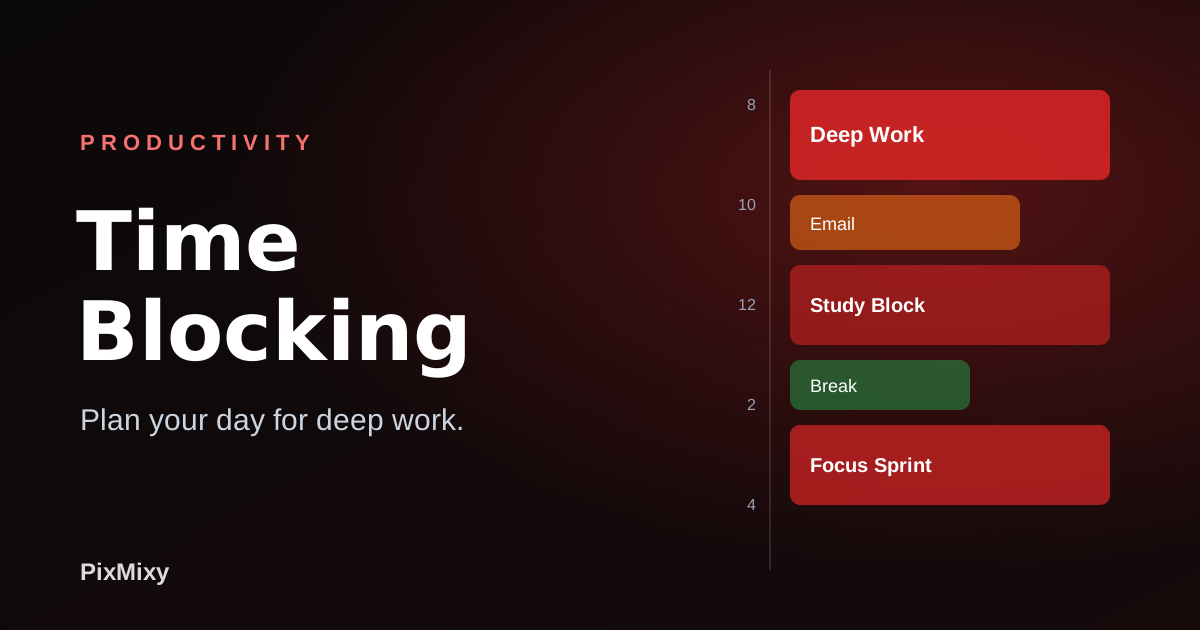
A time-blocked day: deep work protected first, shallow work batched, and white space left on purpose.
Why Time Blocking Fails (And How to Fix It)
Most people try time blocking, love it for three days, and abandon it. Here is why, and the fix for each.
- You blocked 100% of the day. The first interruption blows up the whole schedule and you quit. Fix: block only 75%. Slack is not laziness; it is what makes the plan survive.
- You underestimated everything. When every block runs over, the plan feels like a lie by 11am. Fix: track how long tasks really take for one week, then plan from data instead of hope.
- You treated it as a contract, not a plan. When life interrupts, you feel like a failure and drop it. Fix: re-block on the fly. Moving a block is a two-second edit, not a moral failing.
- You never reviewed it. Without a daily look back, you never learn your real patterns. Fix: a two-minute end-of-day review turns every day into data for a better tomorrow.
Time Blocking + Habit Tracking = A Day That Compounds
Blocking plans the day; tracking proves it happened. The combination is where the magic is. When you finish a block, check off the matching habit in PixMixy. Over a month, the data reveals your truth: maybe your "deep work" block only survives on days you protect the morning, or your energy actually peaks after lunch, not before. That is not guesswork you can feel; it is a pattern you can see.
"I used to end every day feeling busy and behind at the same time. Time blocking killed that. The white-space rule was the unlock: once I stopped scheduling every minute, the plan actually held. Three months in, I ship my one important thing before lunch, every single day."
Tools That Make Time Blocking Effortless
Digital blocking is free, but two analog tools removed the friction that used to make me abandon the system by Wednesday: a planner built for daily blocking, and a light that lets me actually work into the evening block without frying my eyes.
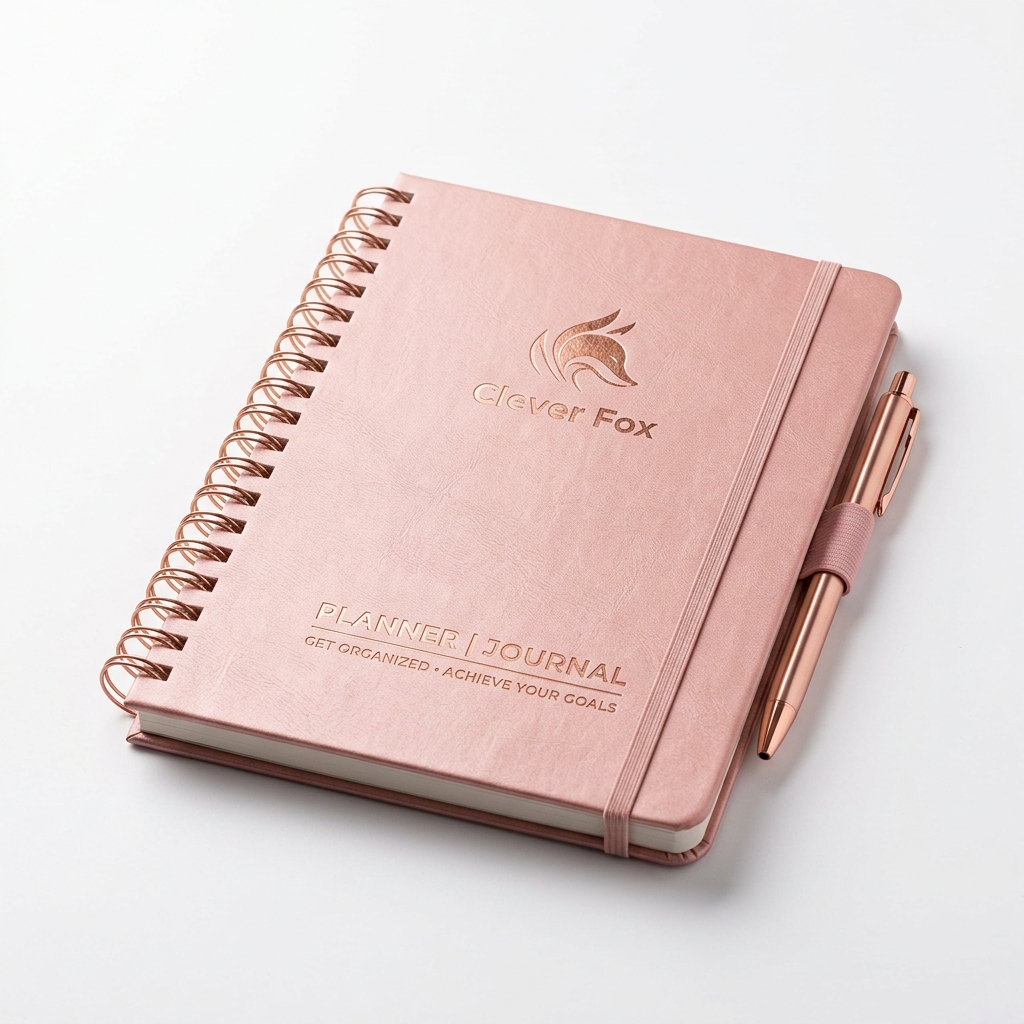
Clever Fox Planner - Weekly & Monthly
A dedicated time-blocking layout with hourly slots, priorities, and a daily review section. Writing blocks by hand the night before makes the plan feel real in a way a calendar app never quite does.
$29.99
Check Price on Amazon →
BenQ ScreenBar Monitor Light
Eye strain quietly ends deep-work blocks early. This clip-on monitor light removes screen glare and headaches, so a 4pm focus sprint does not turn into a 4:30 excuse to stop.
$50.00
Check Price on Amazon →Plan it, then prove it happened
Blocking plans the day; PixMixy proves it. Check off each block, build a streak, and see on your dashboard exactly which routines actually hold. One system for habits, focus, finance, and study.
Start with PixMixy → iOS, Android & Web · One subscription unlocks every featureStart Tomorrow, Not Someday
Tonight, spend five minutes blocking tomorrow. Just tomorrow. Protect your best hours for one important task, batch the shallow stuff, and leave a quarter of the day open. Then track what actually happened. Do that for one week and you will never go back to a naked to-do list. When you are ready to lock it into a routine, the self-discipline framework shows how to make the structure automatic.
